


Piano Star
4.33.40K Reviews
App Specs
- Version
- 1.8.39
- Updated On
- License
- Free
- Downloads
- 100,000,000+
- Developer
- TINYMAX HONGKONG LIMITED
- Categories
- Music
- Platform
- Android, iOS
Screenshots
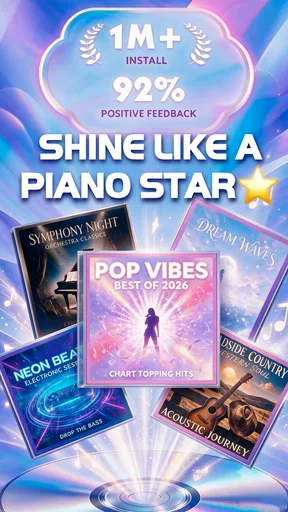
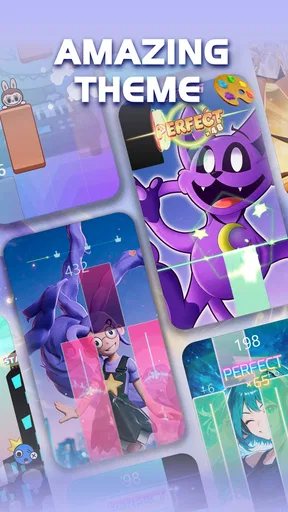
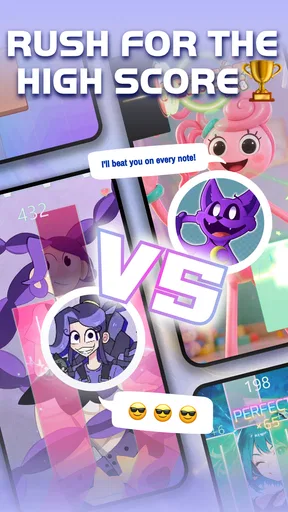
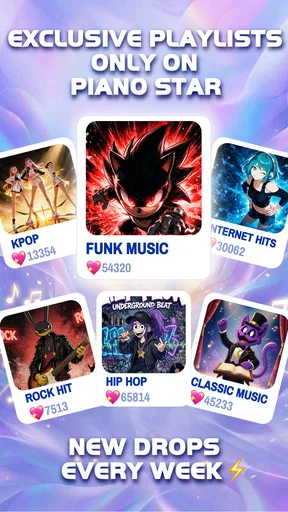
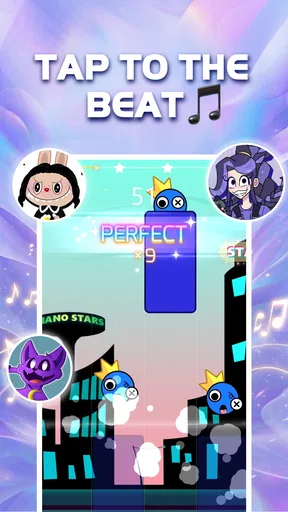
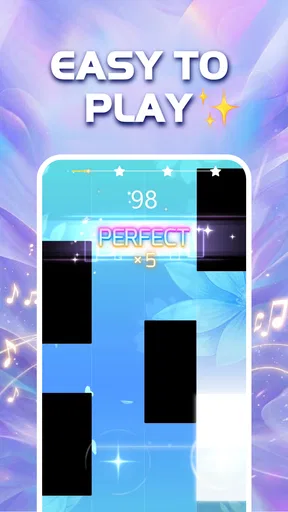
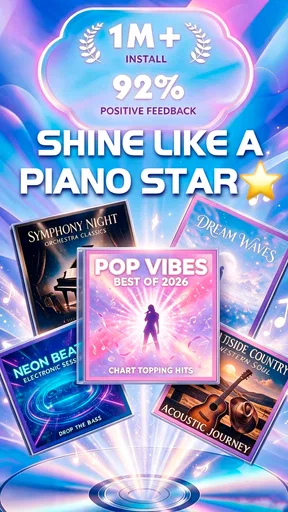
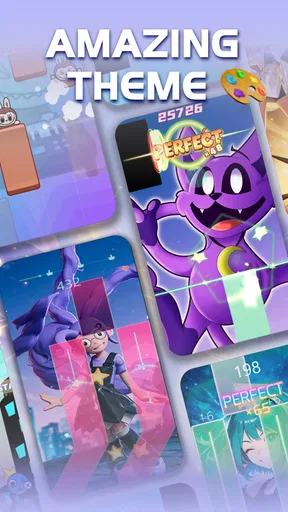
 Analysis by AppCompare
I tend to judge a shared-device game by what happens after the first person finishes a turn: can someone else pick it up without turning the evening into a setup project? Piano Star makes sense as a casual music game for that kind of household moment. One person can try a song, pass the phone or tablet along, and let the next person have a go. It is an easy way to bring a little music into a spare moment, though I would treat it as a game to enjoy together rather than a substitute for learning piano technique.
That distinction matters if a family is deciding what to install. The title points toward piano, but the experience is built around playing along with songs on a screen, not sitting at an acoustic instrument or developing the full habits of a music lesson. I like it best when nobody expects a quick game session to teach proper hand position, reading notation, or how to play a real keyboard. For a low-pressure musical diversion, the idea is much more appealing.
A game that can travel around the room
In a typical evening, I can imagine a parent putting the phone on a table while dinner is being cleared, then letting a child take a turn and handing it to a sibling. Short turns make that sort of use feel natural: each person can choose a song or difficulty that suits them, and the device does not need to become the center of the room for long. If the household is sharing one screen, agreeing on turns beforehand is a simple way to avoid someone losing a song or session just as they get into it.
Guides and Analysis on Piano Star
It also works for solo pauses: I might open it while waiting for a ride, use a song as a brief reset between chores, or play a little after a tiring day when I do not want a demanding game. Those situations suit a music game better than a long lesson format. The trade-off is that a small touchscreen is still a shared, touch-based surface; if several people are crowded around it, the player needs room to see and tap comfortably.
For a household with a dedicated tablet, I would keep expectations modest and use it as a common entertainment option rather than setting it up as a formal practice station. A tablet can make the on-screen keys easier for several people to see, but it does not turn the screen into a full-size piano. Anyone who wants to learn pieces for a keyboard will still need time with a physical instrument and a more structured learning route.
Keeping the experience personal on a shared device
Before handing over a shared phone, I would check what is open and make sure the next player knows they are using the same device. That is ordinary household coordination, not a special feature: the person who has the screen controls the session, so taking turns clearly is kinder than assuming everyone can keep separate progress or preferences. If the device is usually used by an adult, a child should have permission before installing or purchasing anything.
The game is free to start, while optional in-app purchases range from $0.99 to $19.99 per item. On a family device, I would make the purchase boundary clear before anyone plays and use the device’s own purchase protections where appropriate. That small conversation helps prevent an enthusiastic tap from turning into an awkward surprise. I would also avoid promising a child that every song or option is included just because the game can be installed without paying.
Worth Reading Before You Choose

Baby Panda World Brings Quick Play to Modern Phones, but Its Game Library Feels Busy

ESPN’s Live Game View Makes Following Close Games Easier

QuizzLand Review: A Good Fit for Short Trivia Breaks, Not Every Player

Basketball Stars: Multiplayer Is Fast, but Can It Recover When Matches Go Wrong?

WEBTOON Turns Phone Updates Into a Better Reading Routine

Link to Windows Runs on Shared Habits, Not Social Feeds
There is a practical choice between making one device available to everyone and letting each person use a device they already manage. Sharing is convenient and keeps the activity social, but it means people have to coordinate screen time and accept that settings or progress may not feel private. Separate devices can reduce that friction, though they are unnecessary if the game is only an occasional family pastime. I would choose based on how often people actually want to play, not on the assumption that everyone needs an individual setup.
Age, expectations, and trust
The game is rated Everyone 10+, which gives families a useful starting point when deciding whether it suits a particular child. I would still make that decision in context: a rating is not a replacement for an adult checking how a child uses a shared device, how long they spend on it, and whether optional purchases are handled appropriately. With younger children, I would play alongside them at first so I could see what they are doing and explain the household rules.
For older children and adults, the appeal is less about supervision and more about matching expectations. Someone who likes tapping along to music and trying different songs may find it an easy game to return to. A learner who expects detailed instruction, dependable piano-reading practice, or feedback that transfers directly to an instrument may be disappointed. I would choose a dedicated music-learning app or a teacher for those goals, and keep this game in the entertainment lane.
As a music game from TINYMAX HONGKONG LIMITED, it has reached over 100 million installs and holds an average rating of 4.3 from around 169,000 ratings, with roughly 3,400 written reviews. Those figures suggest that many people have tried it, but they cannot tell me whether it fits a particular household’s habits. I would decide by trying a short session together and seeing whether the play style feels enjoyable rather than treating popularity as a guarantee.
Getting Started with Piano Star
First things first, downloading Piano Star was a breeze. Available on both Android and iOS, it’s just a tap away on your favorite app store. Once installed, I was greeted by a sleek, user-friendly interface that even a novice like me found super intuitive. The app doesn’t overwhelm you with options right off the bat, which is a big plus in my book.
Exploring the Features
Okay, let’s dive into what makes this app stand out. Piano Star offers a plethora of features, but what caught my eye was the interactive lessons. These are designed to take you from a complete beginner to a competent player. The lessons are structured in a way that’s both engaging and informative, with a mix of video tutorials, practice exercises, and quizzes to test your skills.
The app also boasts a wide range of songs across various genres. Whether you’re into classical, pop, or jazz, there’s something for everyone. I found myself spending hours just browsing and trying out different tracks. And the best part? You can adjust the difficulty level to suit your expertise, making it perfect for both beginners and seasoned players.
For a first session, I would resist the temptation to jump straight between lots of tracks. Choosing one song and staying with it for a few rounds makes it easier to notice whether the tempo and challenge feel comfortable, and whether I enjoy repeating a section. If I am sharing the device, I would let each person pick a different track rather than trying to agree on a single family favorite. That keeps the handoff simple and makes the game feel less like a test of whose musical taste wins.
When comparing it with the usual alternatives, I see three different jobs. A rhythm game is mainly about timing and reacting to notes; a piano-learning app usually puts more weight on musical fundamentals and deliberate practice; and a physical keyboard gives the closest experience to playing an instrument. This game sits most naturally in the first group, with a piano theme and song browsing that can make casual play feel musical. If your main goal is building transferable keyboard skills, the more structured option is the better use of your practice time.
Practice Makes Perfect
One of my favorite features has to be the practice mode. It’s like having a personal piano instructor right in your pocket. The app provides real-time feedback, helping you correct mistakes on the fly. It even tracks your progress, so you can see just how far you’ve come. Talk about motivation!
For a more useful practice routine, I would treat the feedback as a guide to the current game challenge, not as a complete judgment of musical ability. A good score can show that I am responding well to the on-screen task, but it does not prove that I can reproduce the song on a real piano. I find that distinction helpful: it lets me enjoy improving without confusing a successful game run with formal instruction.
There is also a small but useful choice in how I approach a difficult track. I would lower the difficulty until I can keep a steady rhythm, then raise it when the easier run stops feeling effortful. That is more satisfying than repeatedly choosing a level that makes me miss notes and quit. On a shared device, it also gives a beginner a comfortable way in without preventing a more confident player from trying a tougher setting on their turn.
There’s also a neat feature called "Challenge Mode" where you can compete with friends or other users globally. It adds a fun, competitive edge to your practice sessions. I found myself getting a bit addicted to climbing the leaderboard!
Competition is best treated as an optional extra, especially when players have very different experience levels. A leaderboard can make a familiar track exciting for someone who enjoys chasing a score, but it can make a younger or newer player feel behind if everyone compares results. I would keep the focus on trying a song and enjoying the rhythm; if a family member likes competition, they can use that mode without making it the measure of everyone else’s turn.
User Experience and Design
The design of Piano Star is both modern and functional. The keyboard is responsive and feels surprisingly natural for a digital interface. The app's color scheme is easy on the eyes, which is great because you’ll likely be spending a lot of time on it. Navigation is smooth, with minimal lag, even on older devices.
Because play depends on tapping in time, I would give the player a stable place to hold or rest the device rather than asking them to play while it is being passed around. That is a simple comfort tip, but it can make a session less frustrating: movement makes it harder to focus on the screen and react consistently. It also avoids one person trying to steer the device while another is playing.
The game is free to download and play, and its current version is 1.8.27. It requires Android 7.0 or later on Android devices. I would check the device’s available space and compatibility before planning a group session, particularly if the household uses an older phone that is already close to its limits. The game is not a replacement for an instrument, so I would not upgrade a device just to make it part of a casual music routine.
Another cool aspect is the community feature. You can connect with other piano enthusiasts, share progress, and exchange tips. It’s like having a virtual support group cheering you on. Plus, the developers are pretty active, frequently updating the app with new features and improvements based on user feedback.
On a shared device, I would be thoughtful about what gets shared and who is comfortable with that. A household can enjoy the game without treating every score or activity as something everyone needs to discuss. If one player prefers a private, quiet session, that is a good reason to use the game alone rather than turn the community element into a family expectation. The social side is a bonus for people who want it, not the reason every player has to join in.
Choosing the right place for it
I would recommend this game to people who want a quick, approachable music-themed activity, especially if they enjoy trying songs, adjusting challenge, or passing a device around for short turns. It can also suit someone who already plays piano and wants a separate casual game, as long as they do not expect it to replace instrument practice. The low commitment makes it easy to sample without planning a lesson or setting aside a long block of time.
I would skip it if the main need is a serious beginner curriculum, notation reading, technique coaching, or a realistic piano sound and feel. In those cases, a piano-learning tool designed around instruction or an actual keyboard is a closer match. I would also look elsewhere if the household dislikes competitive scoring or prefers activities that do not involve a screen. The game’s strengths are tied to quick digital play, so those preferences are not minor details.
Final Thoughts
In a nutshell, Piano Star is a fantastic app for anyone looking to learn piano or enhance their skills. It offers a comprehensive learning experience, whether you’re just starting out or looking to master advanced pieces. The interactive lessons, wide song selection, and engaging community make it a must-try for music enthusiasts.
So, if you’ve ever wanted to channel your inner Beethoven or just play your favorite tunes, give Piano Star a go. It’s a fun, accessible way to bring music into your life without the need for a physical piano. Who knows, you might just discover a hidden talent!
My household verdict is that it works best as a shared, low-stakes game with clear turns and sensible purchase boundaries. I would offer it to a child or a friend who enjoys music and quick challenges, while being upfront that its piano theme does not make it a full course in piano playing. If everyone likes the same kind of casual screen activity, it is an easy one to try; if the goal is sustained musical training, I would put the time and money toward a real instrument or a more focused learning path instead.
Pros
- User-friendly interface for beginners.
- Wide variety of songs to choose from.
- Offline mode available for practice.
- High-quality sound and graphics.
- Regular updates with new features.
Cons
- Ads can be intrusive during gameplay.
- Limited free content without subscription.
- Occasional lag on older devices.
- In-app purchases can be pricey.
- No option to import personal songs.
FAQs for Piano Star
What is Piano Star and how does it work?
Piano Star is a mobile application designed to teach users how to play the piano through interactive tutorials and engaging gameplay. It combines music sheets with dynamic visuals to guide users in playing various songs. The app uses a tap-to-play system, making it suitable for beginners and experienced players alike.
Is Piano Star free to use or does it require a subscription?
Piano Star offers a free version with limited features and a selection of basic songs. For access to the full library of songs and advanced tutorials, users can opt for a subscription. The subscription model usually includes a free trial period, allowing users to explore all features before committing.
What are the system requirements for installing Piano Star?
Piano Star is compatible with both Android and iOS devices. For optimal performance, it is recommended to have at least Android 5.0 or iOS 11.0. Ensure your device has sufficient storage space and a stable internet connection to download and enjoy the app’s content seamlessly.
Can Piano Star be used offline?
While Piano Star requires an internet connection to download songs and updates, it does offer an offline mode. Once songs are downloaded, users can play them without an internet connection. This feature is particularly useful for practicing on the go or in areas with limited connectivity.
Does Piano Star offer features for advanced piano players?
Yes, Piano Star caters to all skill levels, including advanced players. It includes complex compositions and allows users to adjust the difficulty level. Advanced players can challenge themselves with intricate songs and use the app's features to enhance their skills through practice and repetition.


